Native iOS · Offline-first

Your ham radio workbench in your pocket

Band plans, OpBook logging, exam prep, CW practice, UTC time, and repeater search — built for iPhone and iPad with offline-first tools and Siri Shortcuts for the field.

iOS 17+ · iPhone & iPad Siri Shortcuts · Log QSO, UTC, CW No ads · No analytics SDKs
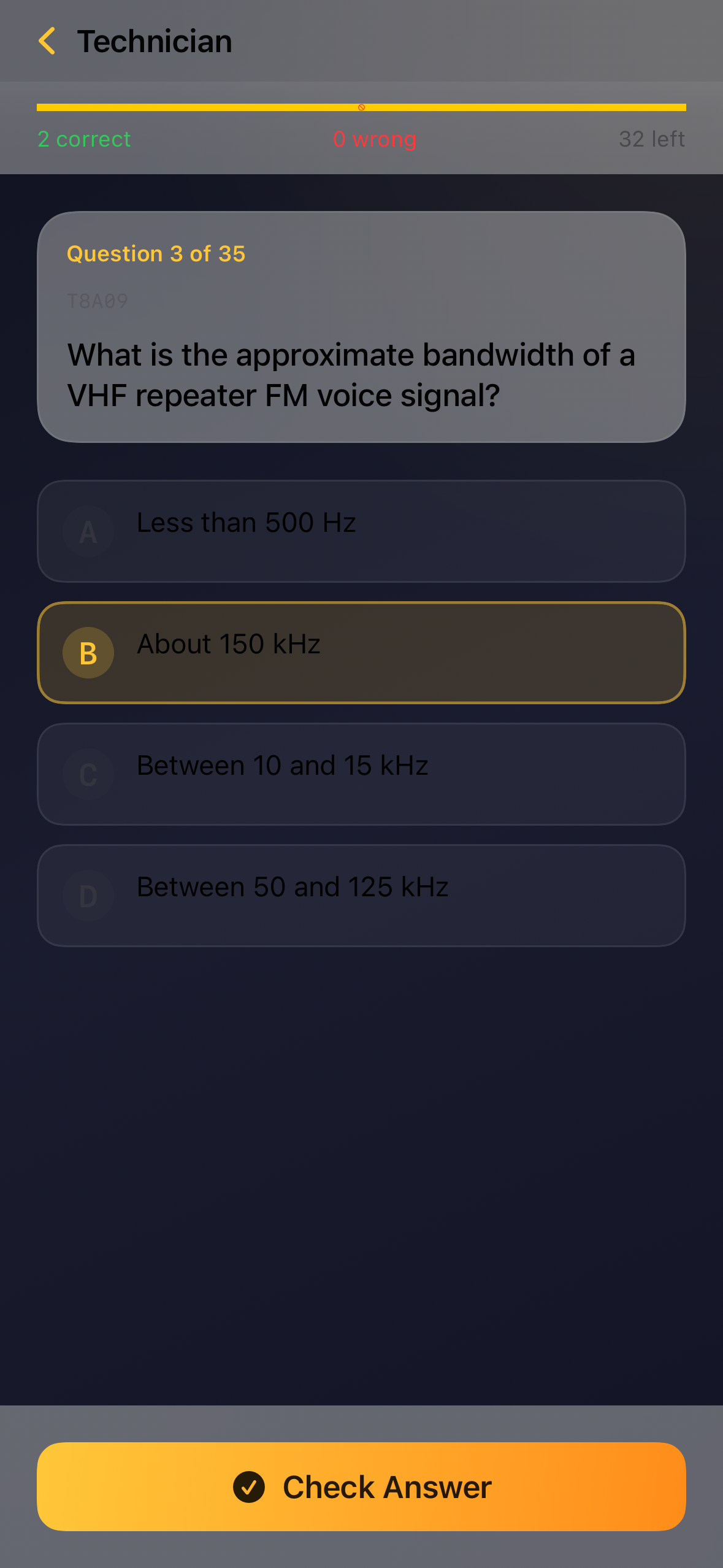
HamBench Technician exam practice with NCVEC question pool

See HamBench in action

A dark-themed workbench for the shack and the field — band plans, full exam simulation, topic drills, and split-view layouts on iPad.

One app. Everything on the bench.

HamBench is built for U.S. amateur radio operators and license candidates who want fast, reliable tools — not another web dashboard wrapped in an app shell.

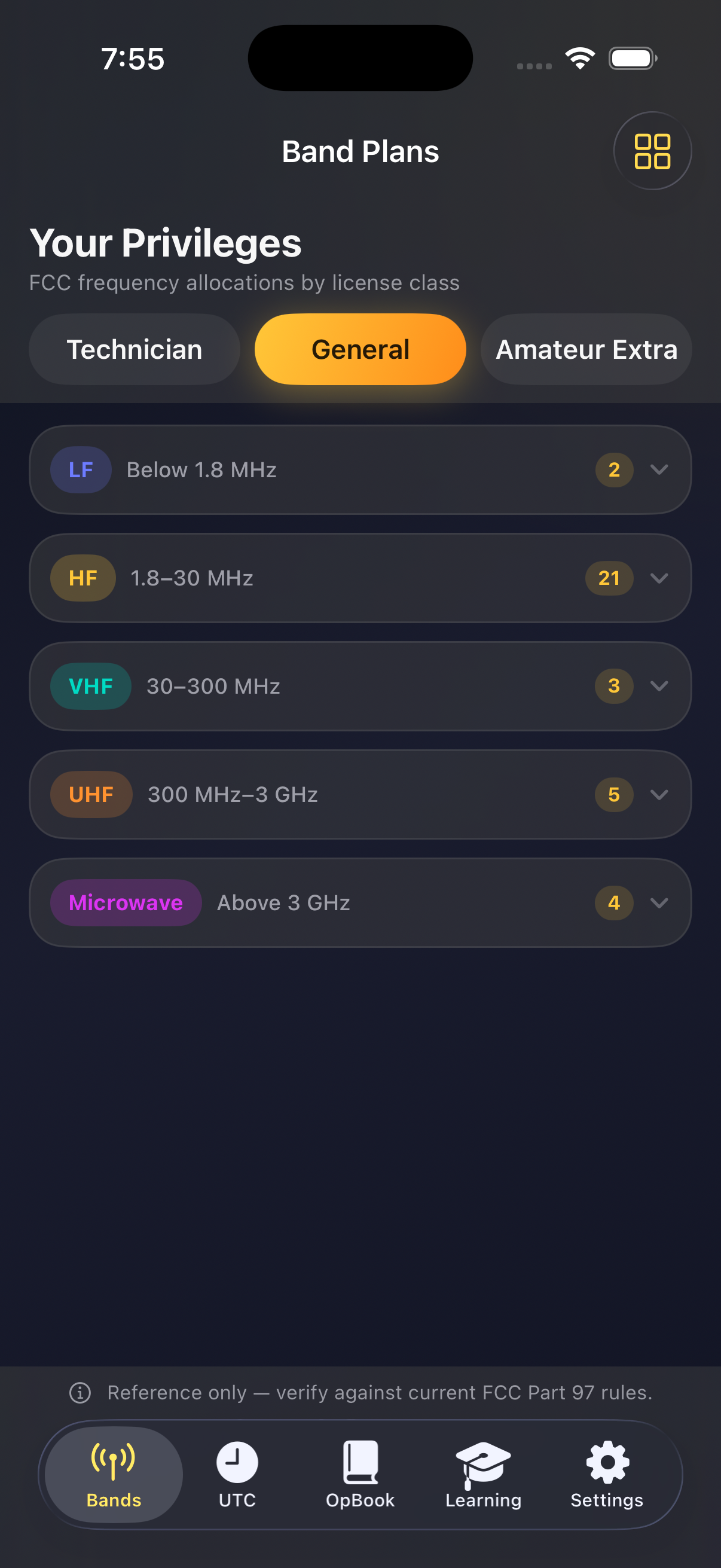
Band Plans

Browse FCC frequency allocations filtered by your license class — Technician, General, or Extra — or view the full chart.

  • Segment details, modes, and power limits at a glance
  • iPad sidebar layout with segment detail pane
  • Works fully offline

OpBook

A real logbook for contacts on the go. Log QSOs with callsign lookup, band, mode, grid square, notes, and timestamps.

  • SwiftData storage with optional CloudKit sync
  • Contest mode and station defaults
  • ADIF 3.1.4 export for LoTW and other loggers
  • iPad sidebar with searchable QSO list
  • Grid square from GPS or manual entry

Exam Prep

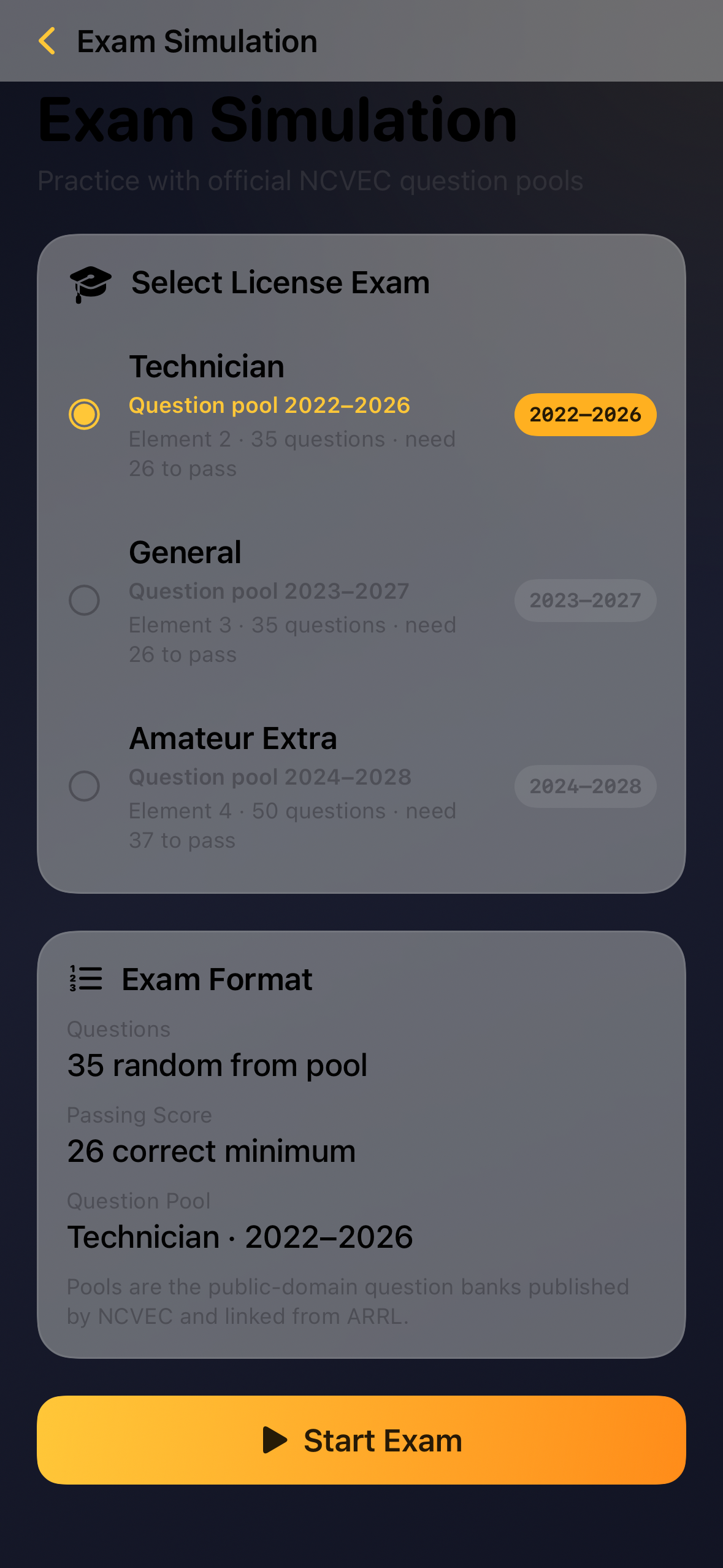
Study and test with official NCVEC question pools for all three license classes.

  • Full exam simulation with pass thresholds
  • Study by Topic with per-subtopic progress
  • Current Technician, General, and Extra pools

CW Training

Send, copy, and Koch-method Morse practice with adjustable speed and audio feedback.

  • Structured drills for exam and on-air prep
  • Works offline

UTC Clock

Live UTC and local time with a day/night indicator in Settings — built for logging, DX, and contest work.

  • Ask Siri for UTC without opening the app

Repeater Finder

Search U.S. repeaters via RepeaterBook when the Repeaters tab is enabled. User-initiated searches with in-app rate limiting.

  • Filter by state, city, or callsign
  • Optional location hints for nearby results

Formulas & Tools

Interactive exam calculators, bidirectional unit converters, phonetic alphabet, and Q code references.

Settings & Style

Callsign lookup via Callook, license class filtering, bench-inspired themes, light/dark appearance, and alternate app icons.

  • Dynamic Type and VoiceOver support
  • Links to FCC, ARRL, and official resources
Built for operators

Offline
Band plans, exams, CW, and local logging work without a signal
Native
SwiftUI on iPhone and iPad with split-view layouts
Private
No accounts, no analytics SDKs — your data stays yours
Shortcuts
Siri and Shortcuts for UTC, logging, CW, and repeaters

Field-ready from your pocket

HamBench includes App Intents for hands-free use in the shack or on a hike. Add them in the Shortcuts app or ask Siri directly.

Get UTC Time

Speaks the current UTC for logging and DX — works without opening the app

Log QSO

Opens OpBook to log a contact, with an optional callsign parameter

Practice CW

Jumps straight into CW Training for Morse drills

Find Repeaters

Opens repeater search when the Repeaters tab is available

Open UTC Clock

Opens Settings with the live UTC clock and day/night indicator

Study, practice, sharpen

The Learning tab brings exam prep and operating references together in one place.

Exam Simulation

Full-length Technician, General, and Extra practice exams

Study by Topic

Drill NCVEC subtopics with progress tracking and recommendations

CW Training

Send, copy, and Koch-method Morse with adjustable speed

Formulas

Exam reference sheets and interactive calculators

Conversions

Bidirectional unit converters for exam math

Phonetic Alphabet

ITU/NATO words for A–Z and 0–9 on voice

Q Codes

Quick reference for common operating abbreviations

What you need

  • Device: iPhone or iPad running iOS 17.0 or later
  • OpBook sync: Optional — sign in to iCloud on your device for CloudKit sync
  • Callsign lookup: Network connection when used (Callook)
  • Repeater search: Network connection when used; enable the Repeaters tab in Settings
  • Location: Only when you tap GPS grid square or repeater location suggestions
Reference only. HamBench bundles FCC band plan and NCVEC exam data for study and reference. Always confirm operating privileges against current FCC Part 97 rules and official exam materials. Repeater and callsign data are provided by RepeaterBook and Callook when those features are used.

Ready to open the bench?

Download HamBench on the App Store and keep your operating tools in one place.